The Evolution of Cross-Browser Testing: From the modern.IE Virtual Machine Nightmare to Modern Automation Matrices
In frontend engineering, Cross-Browser Testing (CBT) has always been a discipline paved with developer tears, trials, and grit.
The objective of cross-browser testing is straightforward: ensure that a web application delivers consistent functionality, visual fidelity, and accessibility across diverse rendering engines, operating systems, screen resolutions, and device architectures.
Yet between theory and practice lies a wide gulf. While W3C and WHATWG publish a single set of standardized web specifications, the underlying rendering engines, JavaScript runtime optimizations, and layout calculation quirks have often diverged substantially.
1. The 2013 Origin: The Nightmare of modern.IE and Virtual Machines
Traveling back to 2013, the greatest friction frontend developers faced was architectural: by default, Microsoft Windows did not permit installing multiple versions of Internet Explorer side-by-side on the same machine.
If your project was mandated to support IE6, IE7, IE8, IE9, and the then-newly-minted IE10, your testing choices were painfully restricted:
- Multi-booting or stockpiling physical legacy PCs: Bulky, expensive, and a maintenance nightmare.
- Third-party standalone hacks (e.g., IETester or Multiple IE): Notoriously unreliable due to shared system DLL conflicts, leading to false crashes and misleading memory leaks.
- Heavy Local Virtual Machines (VMs): Cramming dozens of gigabytes of Windows XP, Vista, Windows 7, and Windows 8 images onto your hard drive.
To alleviate developer resentment and improve web compatibility, Microsoft introduced an unprecedented official tool in 2013: modern.IE.
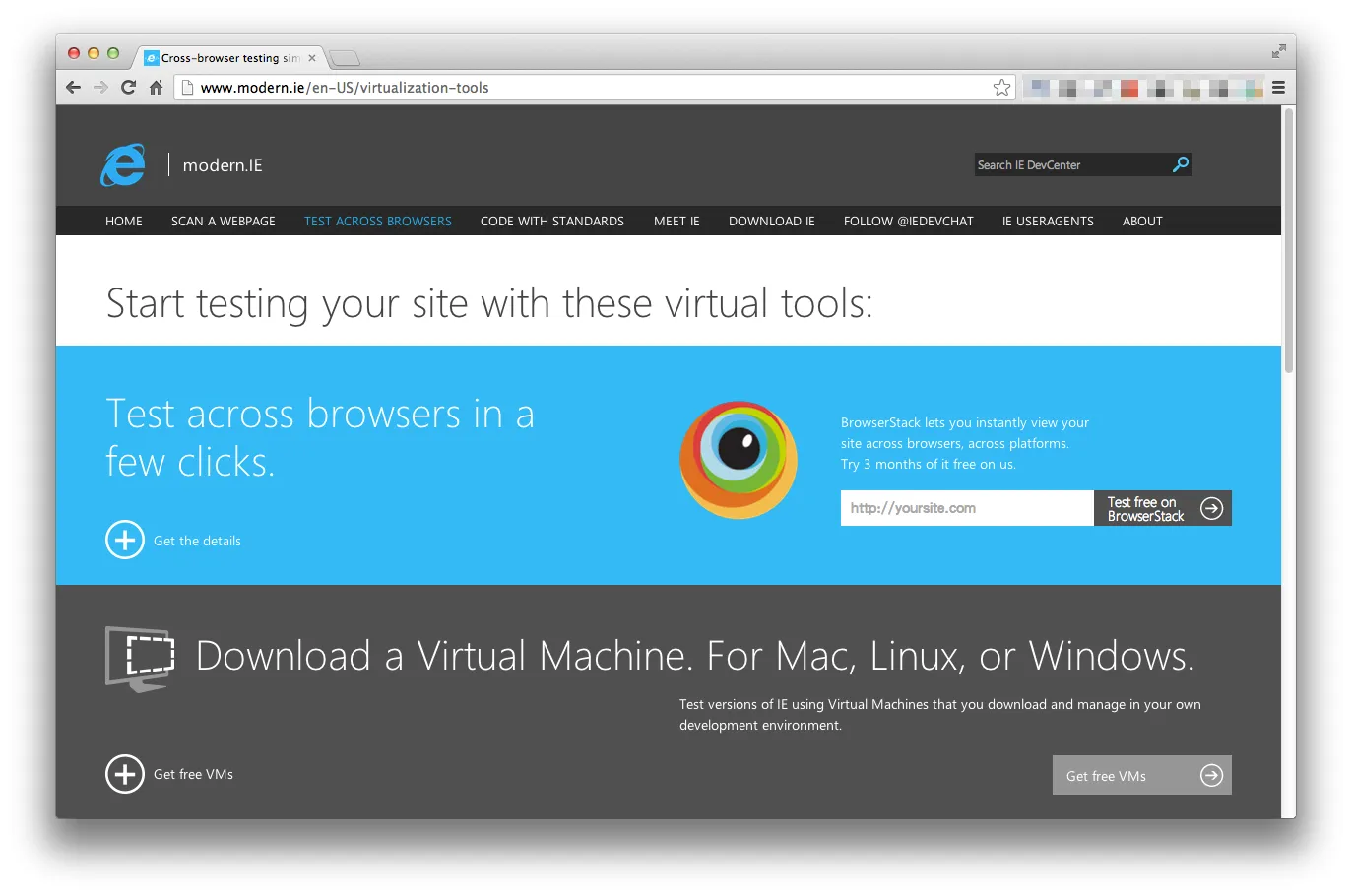 Figure: The 2013 modern.IE portal tailored by Microsoft for web developers (now retired).
Two Crucial Lifelines Provided by modern.IE:
- Free 90-Day Evaluation Virtual Machine Images: For the first time, Microsoft provided pre-configured VirtualBox, VMware, Hyper-V, and Parallels VM images for Mac, Linux, and Windows developers—spanning Windows XP with IE6 all the way to Windows 8 with IE10.
- Instant Cloud Streaming via BrowserStack: Microsoft partnered with BrowserStack on modern.IE to offer 3 months of complimentary cloud-based browser testing, sparing developers the need to download multi-gigabyte VM disks just to spot-check a layout bug.
Although modern.IE and Internet Explorer have both been formally retired, modern.IE marked a watershed moment where Microsoft began embracing open web standards and actively engaging cross-platform developers.
2. The Engine Shakeup: From Fragmentation to the “Big Three”
Over the past decade, the underlying layout engine ecosystem underwent seismic shifts:
flowchart LR
    subgraph Engines2013 ["2013 Legacy: Fragmented Engines"]
        direction TB
        Trident["Trident (IE)"]
        Presto["Presto (Opera)"]
        Gecko2013["Gecko (Firefox)"]
        WebKit2013["WebKit (Safari / original Chrome)"]
    end

    subgraph EnginesModern ["Modern Big Three Engines"]
        direction TB
        Blink["Blink / Chromium<br/>(Chrome, Edge, Brave, Opera, Arc)"]
        GeckoModern["Gecko<br/>(Firefox)"]
        WebKitModern["WebKit<br/>(Safari, all iOS Browsers)"]
    end

    Trident -. Migrated to Chromium in 2020 .-> Blink
    Presto -. Deprecated in 2013 .-> Blink
    WebKit2013 -. Forked to Blink in 2013 .-> Blink
    WebKit2013 --> WebKitModern
    Gecko2013 --> GeckoModern
Has Cross-Browser Testing Become Obsolete? No, the Battlefield Just Shifted
With Microsoft Edge adopting Chromium and rendering monoculture growing, some developers prematurely declared cross-browser testing dead. That is a dangerous misconception. Today’s compatibility challenges have simply migrated to new frontiers:
- iOS Safari (WebKit) Engine Monopoly:
Apple mandates that all third-party browsers on iOS (including Chrome and Firefox) must wrap the system’s WebKit rendering core.
Idiosyncrasies such as the dynamic
100vhviewport jumping when the address bar collapses, rubber-band scroll physics, stringent media autoplay policies, and restricted PWA background capabilities have earned iOS Safari the reputation of being the “modern-day IE.” - Staggered Adoption of Modern CSS Features:
From
:has()parent selectors, Container Queries, and Subgrid to the View Transitions API, the timeline for specifications transitioning into fully supported baseline features across all three engines still experiences gaps of months to years. - The Web Platform Baseline and the Interop Project: In response, Google, Apple, Mozilla, and Microsoft launched the Interop initiative (Interop 2022 through 2026). Guided by the WebDX community, Baseline now clearly denotes when APIs achieve universal compatibility across mainstream engines, bringing unprecedented predictability to modern engineering.
3. The Modern Cross-Browser Testing Pyramid
Departing from the era of spinning up virtual machines and squinting at screens manually, modern engineering organizes cross-browser quality assurance into a multi-layered automation pyramid:
flowchart TD
    subgraph ModernPyramid ["Modern Cross-Browser Testing Pyramid"]
        direction TB
        L4["4. Real Device Cloud<br/>BrowserStack / LambdaTest<br/>• Verifying real iOS Safari hardware, specific Android GPUs, and hardware sensors"]
        L3["3. Visual Regression Testing<br/>Playwright toHaveScreenshot() / Percy / Chromatic<br/>• Automated pixel-diff detection across Chromium, WebKit, and Firefox"]
        L2["2. Headless Multi-Engine E2E Automation<br/>Playwright / Cypress<br/>• Single CI pipeline concurrently driving native Chromium, WebKit, and Firefox"]
        L1["1. Static Analysis & Compilation Guard<br/>Browserslist · eslint-plugin-compat · PostCSS / Lightning CSS<br/>• Intercepting unsupported APIs and syntax at save/build time"]
    end

    L1 --> L2 --> L3 --> L4
Deconstructing the Four Layers of Defense:
Layer 1: Static Analysis and Compilation (Lowest Cost, Instant Feedback)
Before code even executes, catch incompatibilities inside the editor and compiler:
browserslist: Declare target browser demographics in the project root (e.g.,> 0.5%, last 2 versions, Firefox ESR, not dead).eslint-plugin-compat: Linked to the Can I Use database, flagging unsupported APIs (likestructuredCloneornavigator.clipboard) with immediate red underlines in your IDE if they breach target browser criteria.- PostCSS / Lightning CSS: Automatically inject necessary vendor prefixes (
-webkit-) and polyfill/transpile modern syntax based on yourbrowserslist.
Layer 2: Headless Multi-Engine E2E Automation
Microsoft’s open-source Playwright revolutionized automated cross-browser testing. Unlike legacy Selenium setups that required convoluted WebDriver configurations, Playwright bundles and drives genuine, native builds of Chromium, Firefox, and WebKit:
// Example: playwright.config.ts multi-engine matrix
import { defineConfig, devices } from '@playwright/test';

export default defineConfig({
  projects: [
    { name: 'Desktop Chromium', use: { ...devices['Desktop Chrome'] } },
    { name: 'Desktop Firefox', use: { ...devices['Desktop Firefox'] } },
    { name: 'Desktop WebKit (Safari)', use: { ...devices['Desktop Safari'] } },
    { name: 'Mobile Safari (iOS)', use: { ...devices['iPhone 15'] } },
  ],
});
In a CI/CD pipeline (GitHub Actions, GitLab CI), a single command runs hundreds of critical user workflows concurrently across all three engines in minutes.
Layer 3: Pixel-Level Visual Regression
The sneakiest cross-browser regressions rarely throw JavaScript exceptions. Instead, a slight flexbox rounding variance wraps a button into an unintended second line, or a font anti-aliasing filter blurs critical copy. Using Playwright’s visual screenshot assertions:
await expect(page).toHaveScreenshot('checkout-page.png');The pipeline compares snapshots against established baseline images, highlighting pixel discrepancies automatically.
Layer 4: Real Device Clouds
Headless engines and desktop emulators cannot fully replicate real mobile GPU compositing, memory ceilings, or mobile virtual keyboard viewport recalculations. Prior to major production rollouts, routing automated smoke tests or manual exploratory checks through real device pools on BrowserStack, Sauce Labs, or LambdaTest secures the final mile.
4. Paradigm Comparison: 2013 vs. Today
| Dimension | 2013 Model (modern.IE Era) | Modern Model (2020s Onward) |
|---|---|---|
| Primary Incompatibility | Fractured IE6–10 versions, lacking basic CSS3/HTML5 | iOS Safari (WebKit) constraints, staggered rollout of cutting-edge CSS |
| Execution Medium | Heavy VirtualBox / VMware Windows VMs | Lightweight containers, Playwright headless engines, device clouds |
| Test Execution | Manual clicking, repeated manual data entry | Automated scripts running concurrently in CI/CD pipelines |
| Visual Verification | Manual visual inspection against mockups | Algorithmic visual regression testing (Pixel Diffing) |
| Remediation Strategy | Conditional comments (<!--[if IE 8]>), CSS hacks |
Feature queries (@supports), Progressive Enhancement, Baseline |
Conclusion: From Pixel-Perfection to Progressive Enhancement
Looking back at the birth of modern.IE in 2013, it served as a much-needed lifeline in a chaotic era of browser fragmentation.
Thirteen years later, cross-browser testing has transformed from a frantic, manual firefighting chore into a disciplined, automated software engineering pipeline.
The modern cross-browser mindset does not demand that a website render identically down to the exact pixel across every viewport. Instead, it champions Progressive Enhancement:
Ensure core functionality and accessibility remain bulletproof across all layout engines, while empowering modern, capable browsers to shine with delightful cutting-edge experiences.